Niklas Coors - 31.1.2023-
HubSpot: Boost Cross-selling with Products & Workflows
Cross-selling is a powerful way to increase revenue and customer satisfaction, and using products and workflows in HubSpot can help you boost your cross-selling efforts. In this blog post, we'll be discussing a simple example of how to boost cross-selling using products in HubSpot workflows.
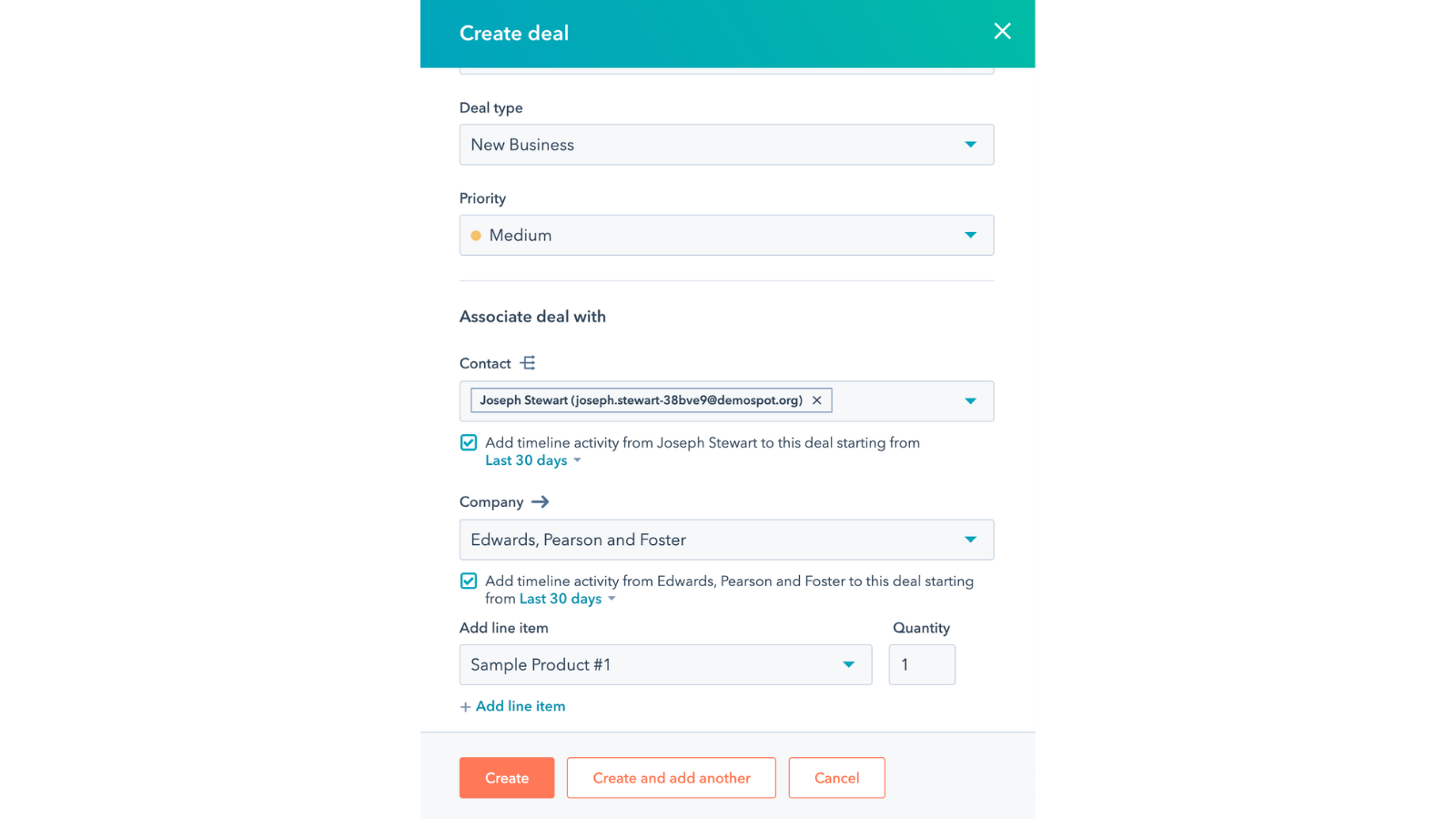
Before building the actual workflow, there are three conditions that need to be in place. First, you need to have products. Second, you need to have a deal featuring that product as a line item, which will be the enrollment criteria for the workflow. Third, you need an action that you want the workflow to perform. In this example, we'll be sending an email.
Creating the Products
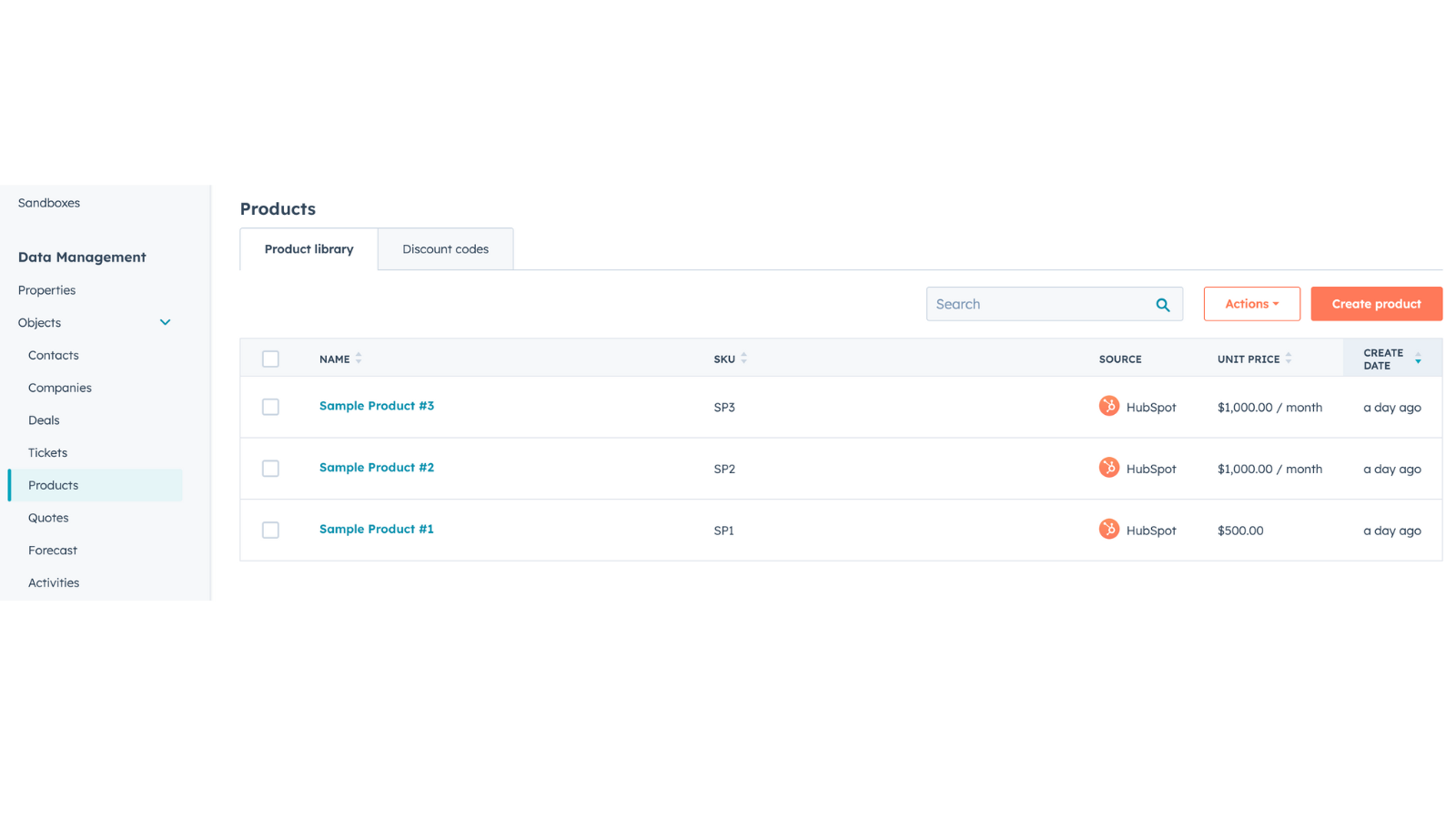
To get started, navigate to settings, objects, and then products. Here, you can see the three sample products that we've created. In this scenario, assume that Sample Product 1 is the one that is sold first and then Sample Products 2 and 3 are the ones that we want to cross-sell next to Sample Product 1. In order to do this, we need to assume that Sample Product 1 has already been purchased. We just want to check if we have a deal in place that is closed and has Sample Product 1 as a line item.
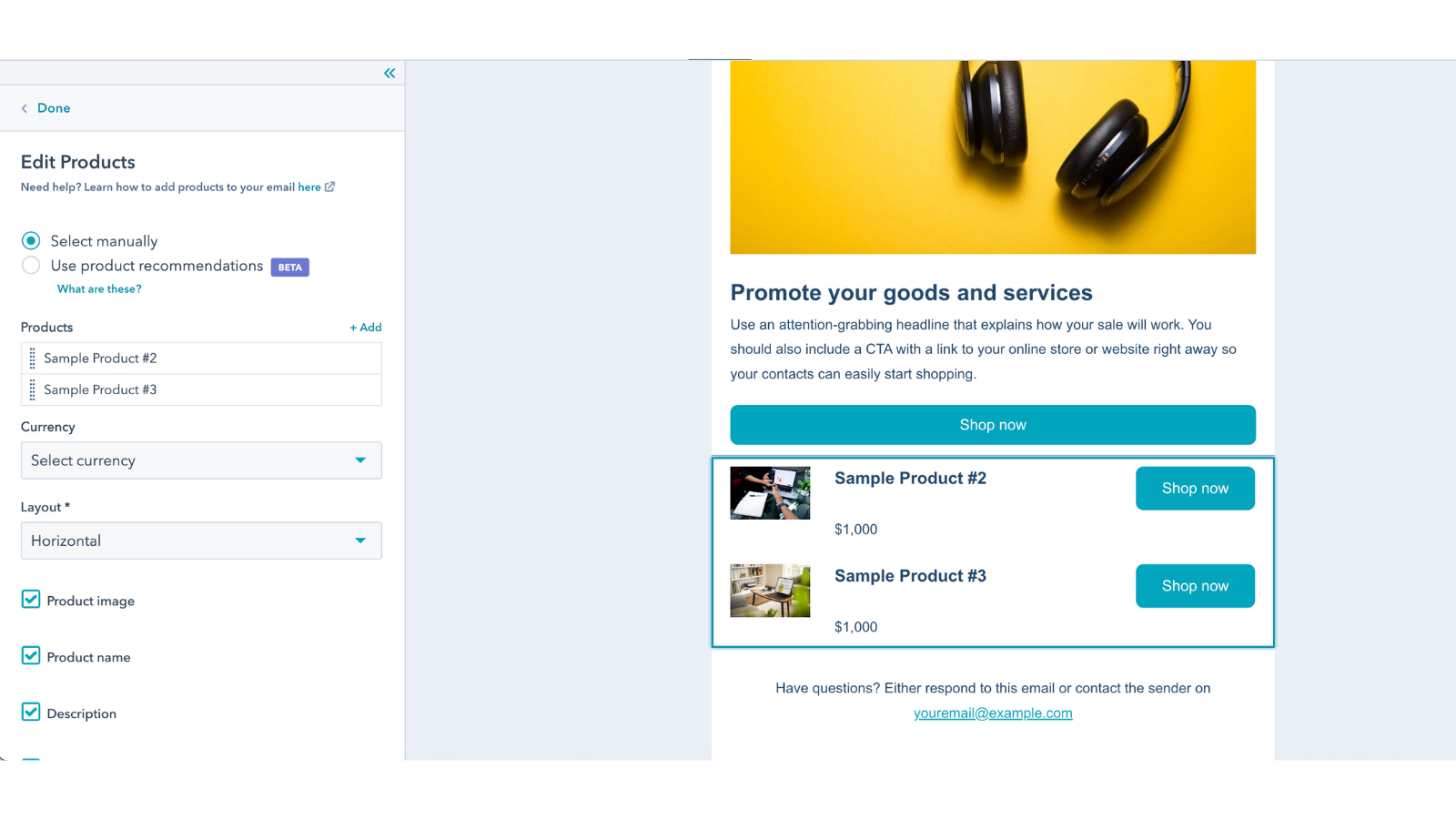
The key thing that we want the workflow to perform is if a customer buys Sample Product 1, we want to send them an email with more details on Sample Product 2 and 3, which could go very well with Sample Product 1. In order to do this, we need to have an email. We go to marketing and email and create a cross-sell email. This email should grab the reader's attention and promote Sample Product 2 and Sample Product 3 in the email. Personalizing it with the first name and the subject line will make it more relevant for whoever purchased this.
Adding delay and tasks
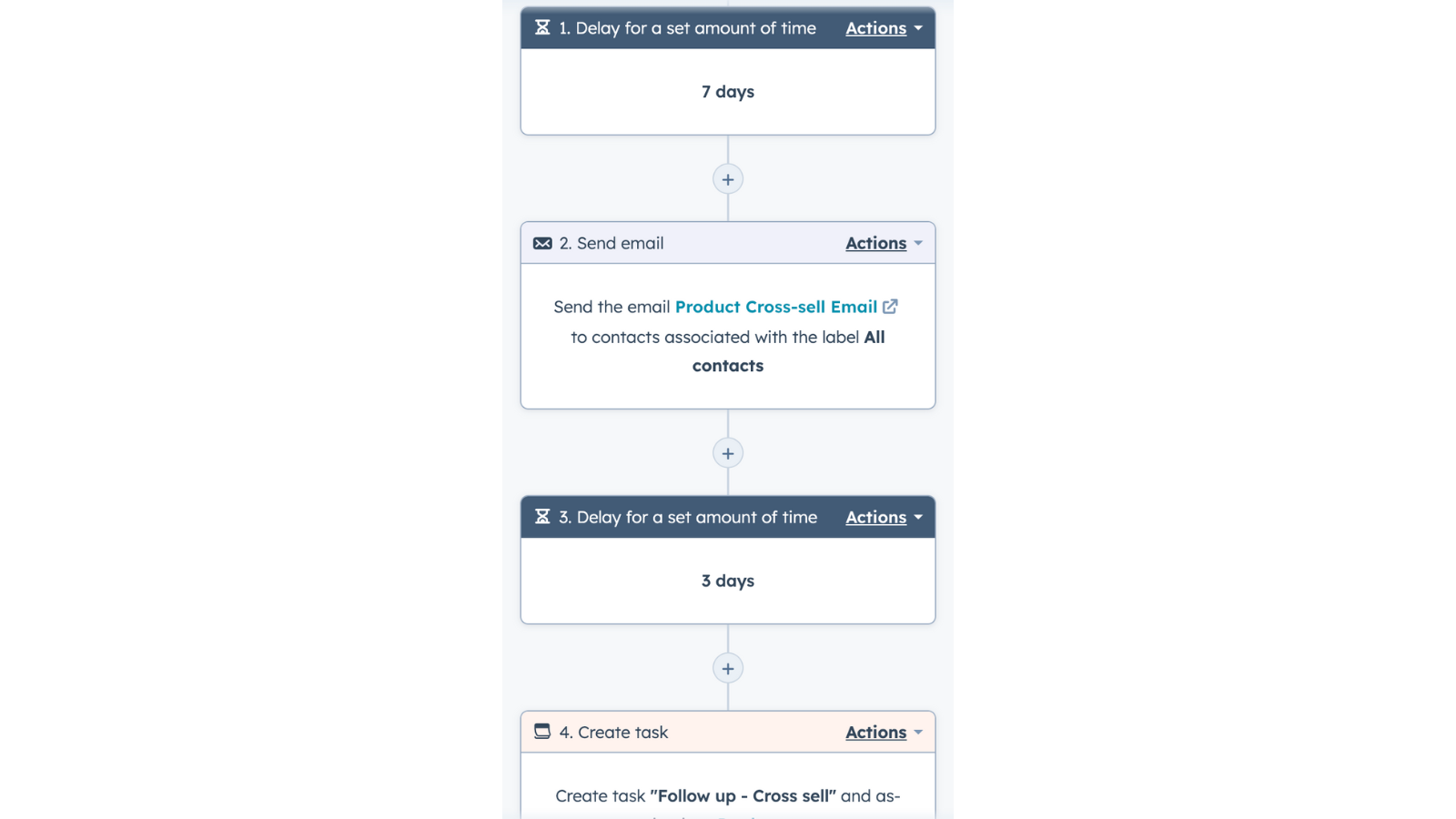
In addition to the email, we can also use a "delay for a set amount of time" step in the workflow to wait seven days before sending the email. This allows the customer a little bit of time to get familiar with the product before being cross-sold.
We want to create a task for the sales team to follow up with the customer three days after the email is sent. This task is assigned to whoever is the deal owner of that particular deal. By creating this task, we ensure that we are following up with the customer at the right time and increasing the chances of cross-selling.
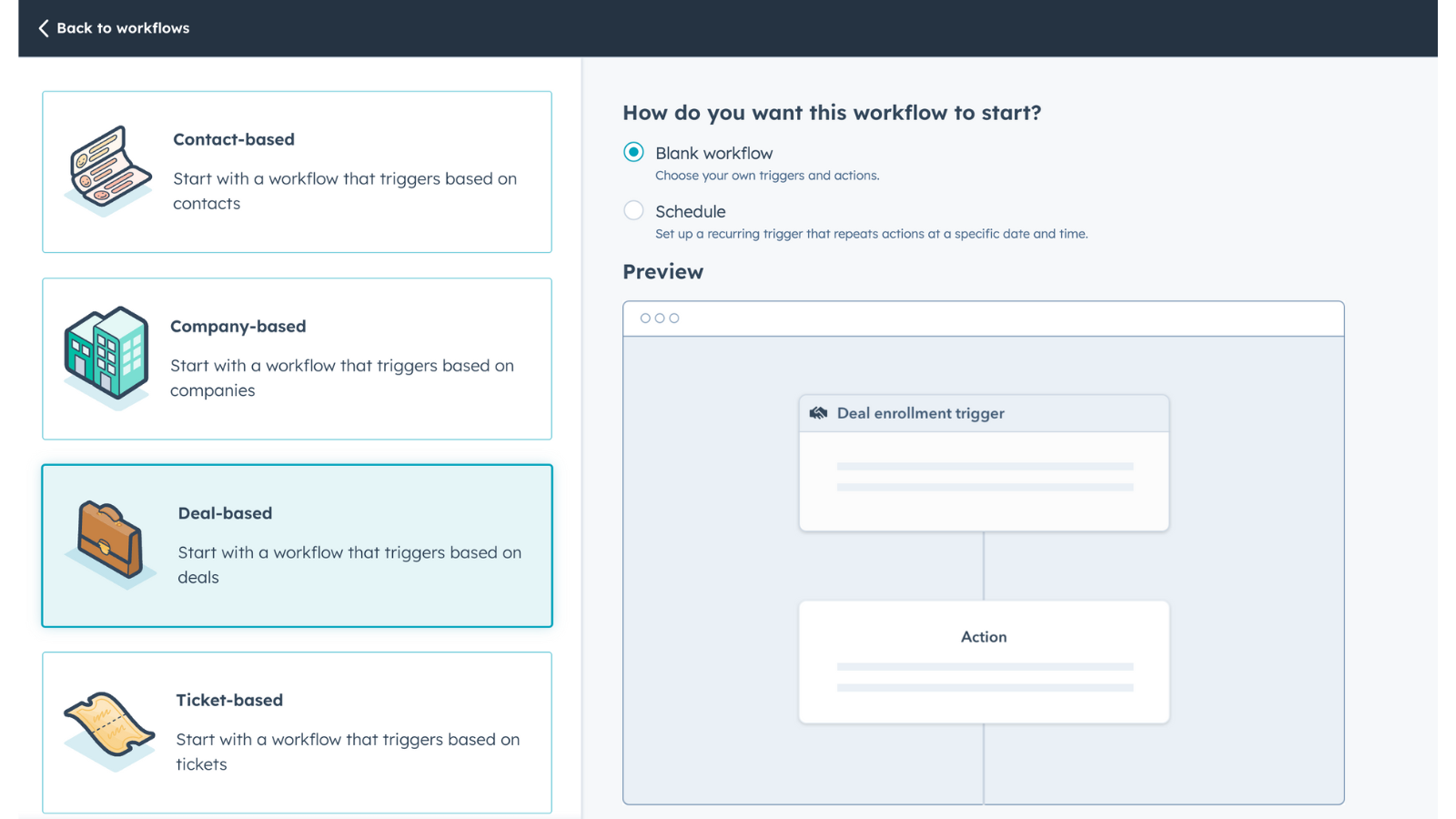
With the email and delay steps in place, we can now go to Automation and workflows, and create the workflow. Every workflow starts with a deal enrollment trigger. In this example, we've created the "Easy Cross-Sell Workflow,". From there, the workflow will trigger the email and delay steps to be performed for the customer who purchased Sample Product 1.
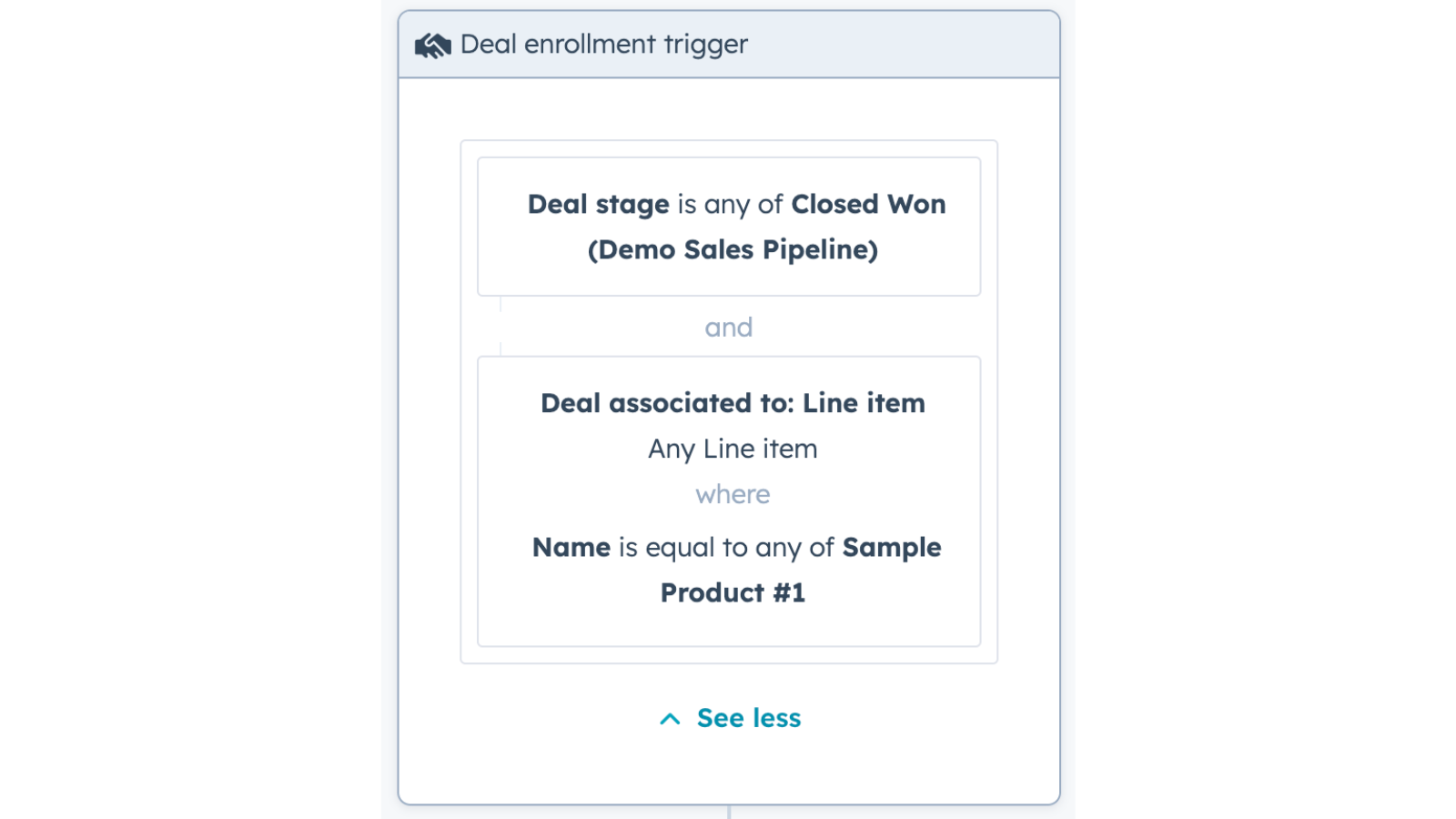
The first trigger is that the deal must be in the "Closed Won" stage of your sales pipeline. The second trigger is that the deal must be associated with a line item that is "sample product #1". When these two conditions are met, the deal enrolls in the cross-sell workflow.
Increase the chances of cross-selling
We also want to create a task for the sales team to follow up with the customer three days after the email is sent. This task is assigned to whoever is the deal owner of that particular deal. By creating this task, we ensure that we are following up with the customer at the right time and increasing the chances of cross-selling.
In conclusion, cross-selling can be a powerful way to increase revenue and customer satisfaction, and using products and workflows in HubSpot can help you boost your cross-selling efforts. By using triggers and steps like delay, emails, and tasks, you can create a simple yet effective workflow that increases the chances of cross-selling. And as always, don't forget to download our free guide with "7 powerful HubSpot hacks" that help you optimize performance and increase productivity.
When is a good time to talk?
Book your free strategy call now and receive expert advice on your growth objectives. We'll review your current setup, identify improvement areas and determine if it’s a good fit for both of us. Ready to drive your business forward?
Book a call Send an email
