Revolutionize Your Lead Management: Build a Custom Lead Scoring Model with HubSpot
With HubSpot, you can use the lead score to trigger workflows - e.g. to update lifecycle stages or show smart content.
Let's take a look at how you can customize the lead scoring system to match your ideal customer profile.
Lead scoring is essential for identifying and prioritizing leads based on engagement levels, company criteria and interest in your business. By understanding which leads are most likely to convert into buying customers, you can focus your sales and marketing resources on the most promising leads. In this blog post, we're going to take a closer look at how to use HubSpot's built-in lead scoring capabilities to create a custom lead scoring model that matches your ideal customer profile.
Introduction to lead scoring and its importance
Let's start by talking about the significance of lead scoring. Lead scoring is a great way to evaluate and prioritize your leads according to their degrees of involvement, company requirements, and amount of interest in your organization. To focus your efforts on the most promising leads, it is helpful to select leads that are likely to become paying clients.
Setting up your lead scoring model in HubSpot
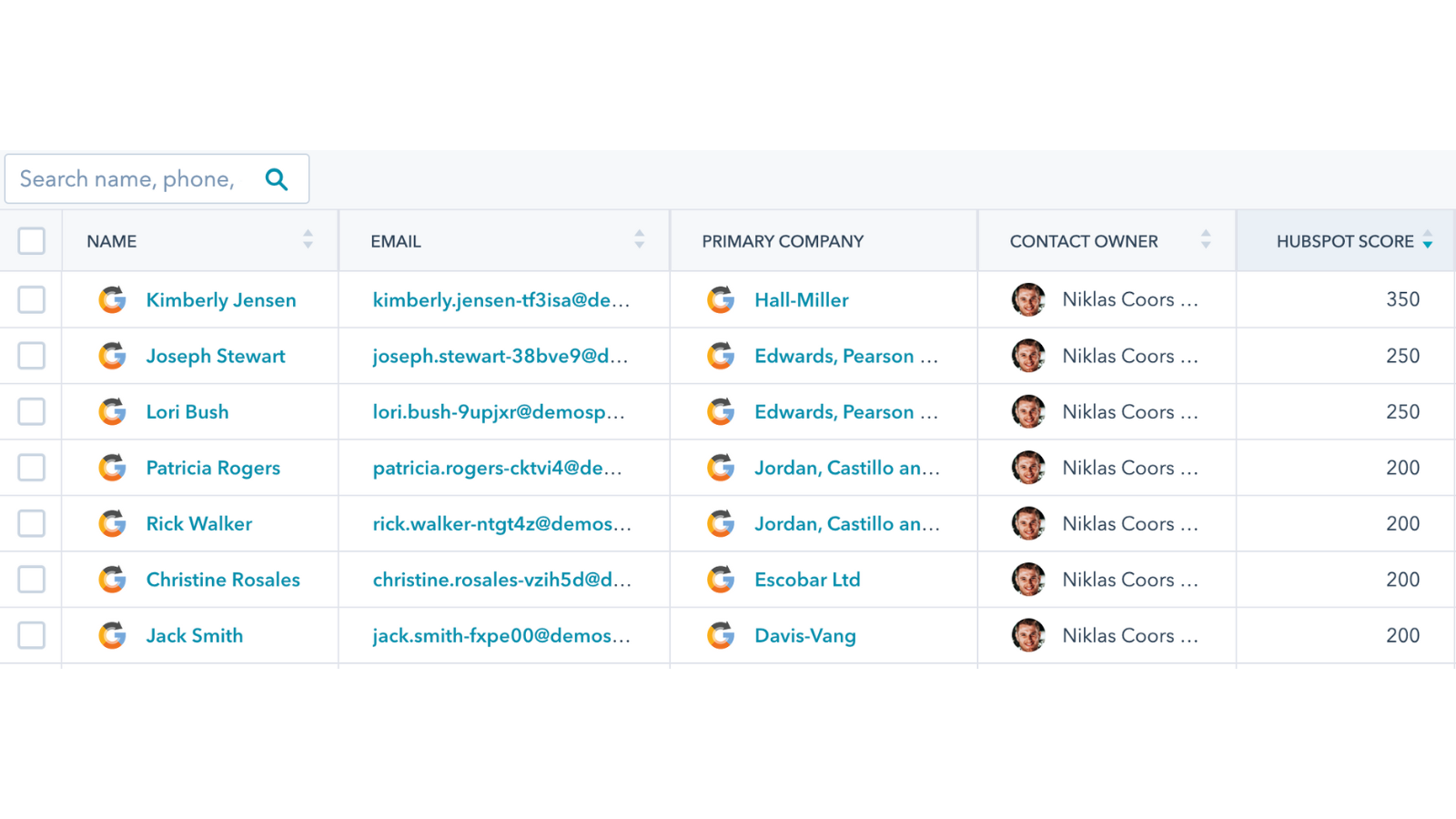
Now, let's see how this looks in HubSpot. In the Contacts view, you'll see a column called HubSpot score. This is the column we'll be discussing today. You'll notice that certain contacts have a HubSpot score of 350, while others have a score of 250 or 200. This is because the score is determined by customizing the positive and negative criteria. In the contacts view, you can see the “Hubspot Score” column, which assigns points based on certain criteria.
Examples of positive criteria might be factors like annual revenue or the number of employees at a company. In the negative criteria, points are removed when a contact or associated company meets certain criteria. Later, we'll examine the criteria that are in doubt in this situation.
Customizing the HubSpot Score
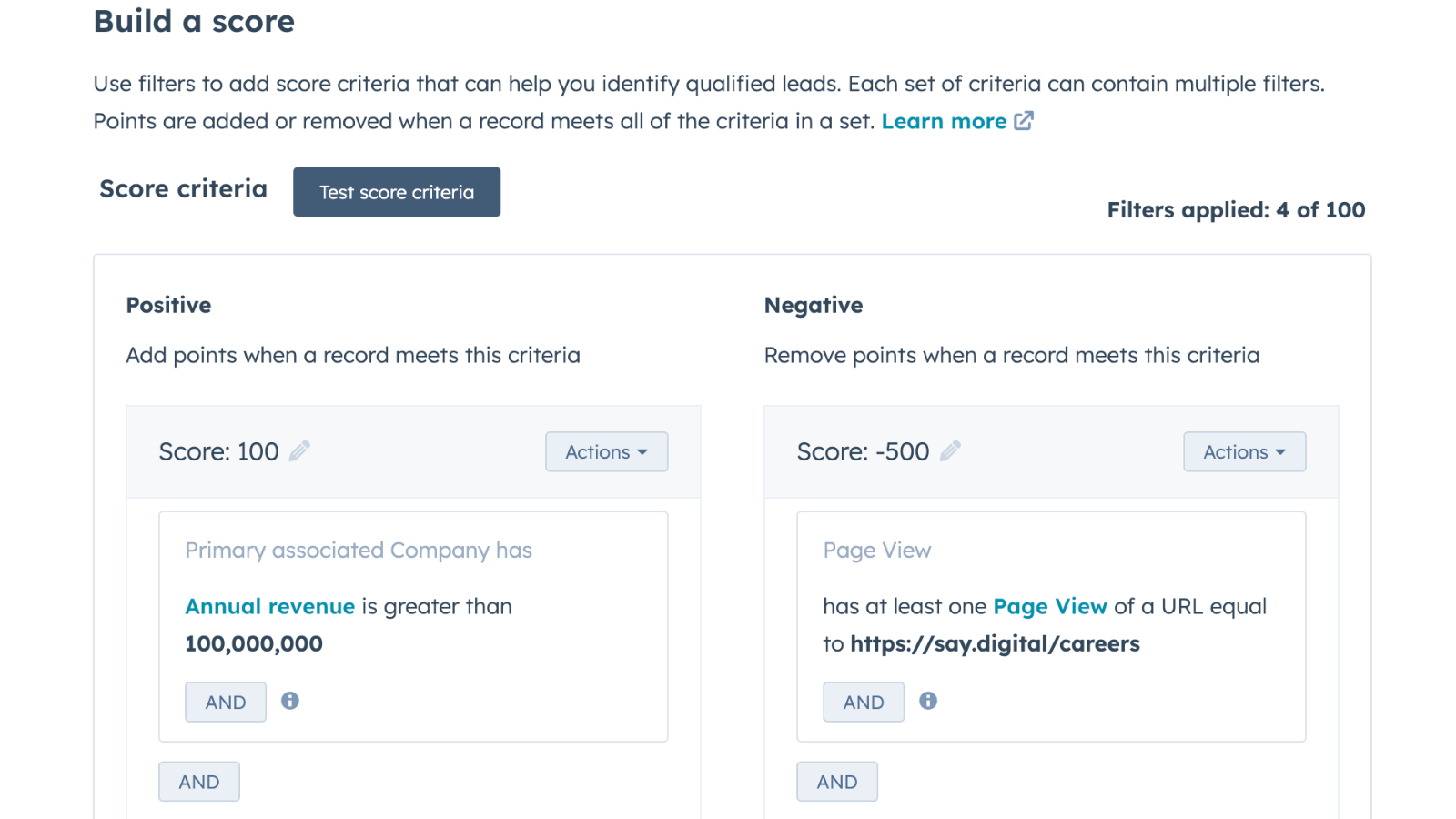
To customize the HubSpot score, you'll need to go to settings and navigate to properties. Then, search for "score" and hit edit. This will take you to the creation of the HubSpot score, where you can build a custom score by adding or removing points based on certain criteria.
In the positive column, points are added when a contact or associated company meets certain criteria. For example, you might give 100 points when the annual revenue is greater than $100 million or another 100 points when the number of employees is greater than 5,000. Additionally, you can give a Target account flag that adds another 150 points. By doing this, you can give a contact a score of 350 points.
The negative column works in the same way, but points are removed when a contact or associated company meets certain criteria. For example, if a contact is very engaged and looks at a lot of your websites and pages, but then visits the career page, this may indicate that they are not really interested in purchasing, but are just looking for a job. In this case, 500 points will be deducted from the score.
How to Evaluate Leads from Various Perspectives with a Custom HubSpot Score
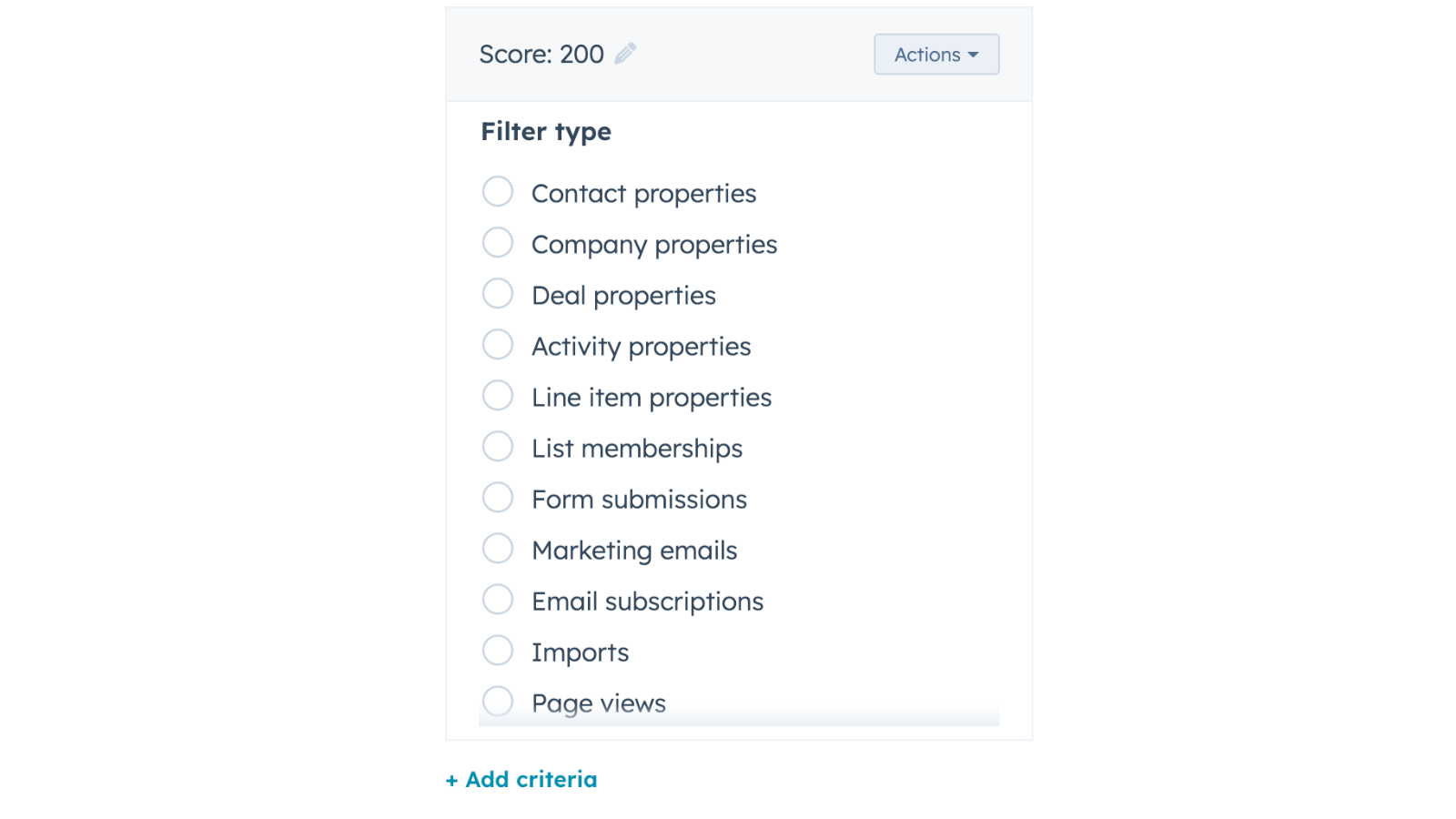
You can add new parameters to the HubSpot score and lead scoring system to evaluate a lead from a variety of perspectives. Adding a new criteria, such as form submissions on any of the pages, will increase the score by 250 points. This indicates greater intent and makes the account more valuable as a lead. You can add criteria such as email subscriptions, list memberships, page views on your website, or even interactions with your ads on LinkedIn or Google.
As you can see, lead scoring is a powerful tool that can help businesses identify the most promising leads and focus their resources on them. By customizing the system to match your ideal customer profile, you can ensure that you're targeting the right prospects and increasing your chances of conversion. With HubSpot's built-in lead scoring capabilities, you can easily create a custom lead scoring model that fits your business needs.
Want to maximize your use of Hubspot? Download our e-book, "7 powerful Hubspot hacks," right away.
When is a good time to talk?
Book your free strategy call now and receive expert advice on your growth objectives. We'll review your current setup, identify improvement areas and determine if it’s a good fit for both of us. Ready to drive your business forward?